本节贡献者: 田冬冬、姚家园
最近更新日期: 2023-04-29
预计花费时间: 60 分钟
全球地震台站有成千上万个,通常在某个具体研究中只需要符合特定要求的台站,因而需要对地震台站进行筛选。 这一节介绍如何筛选公开地震台站并获取台站信息。
使用 EarthScope SAGE: GMAP 筛选台站
EarthScope SAGE GMAP (之前称为 IRIS GMAP)是一个由 EarthScope SAGE 提供的地震台站网页搜索工具,可以 方便地查看全球地震台站分布以及台站的详细信息。下面演示 EarthScope SAGE GMAP 的基本使用方法。
访问 EarthScope SAGE GMAP 网站 https://
左侧功能栏中,支持以多种不同的方式对地震台站进行筛选:指定台网名、台站名、位置码、通道名;指定时间范围;指定台站位置范围(矩形区域或圆形区域);指定地震数据中心。
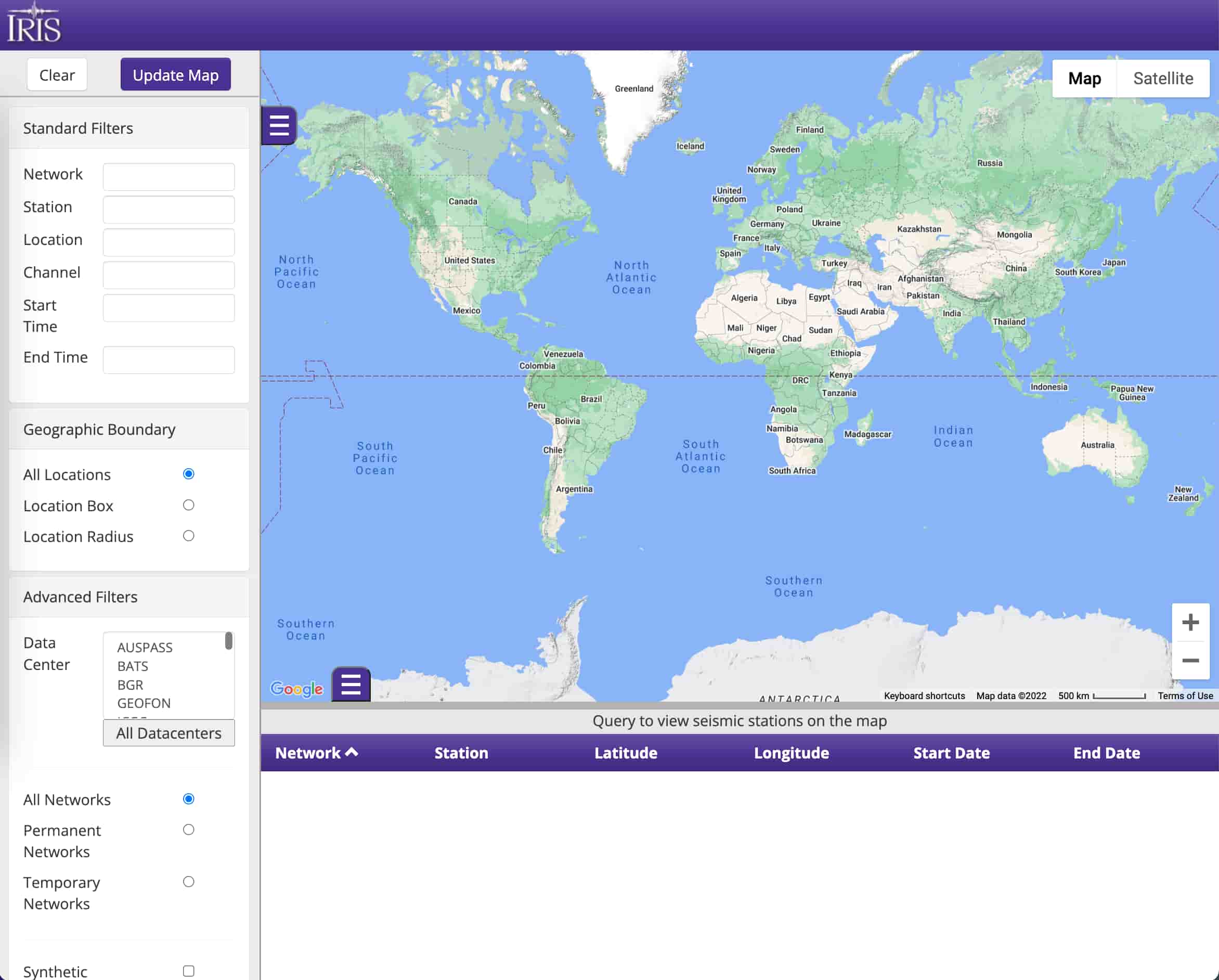
EarthScope SAGE GMAP 界面
例如,想筛选所有 IU 台网的宽频带地震台站,则可以在 Network 框中输入 IU,
在 Channel 框中输入 BH?(此处的问号为通配符),然后点击上方的 Update Map
按钮,界面右侧便会显示出所有满足筛选条件的台站。右侧上方为地图区域,圆圈标记了
台站的位置;下方为列表区域,会显示台网名、台站名、台站位置以及台站的开始和结束时间。
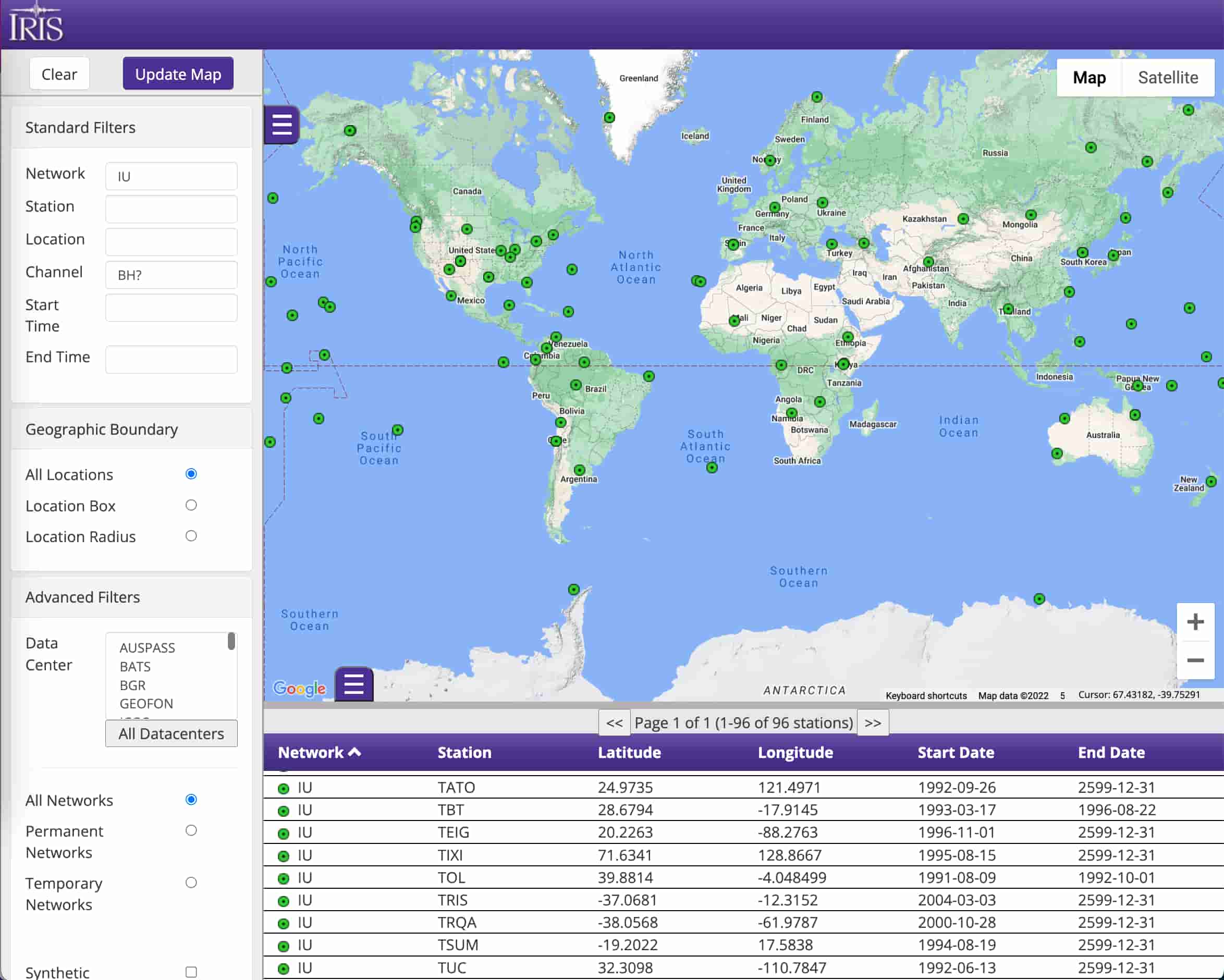
EarthScope SAGE GMAP 显示 IU 台网的宽频带台站
可以更进一步查看每个台站的详细信息。以位于美国新墨西哥州的地震台站 IU.ANMO 为例,
点击 IU.ANMO 台站对应的圆圈或下方列表区域的该台,会出现如下图所示的提示框:
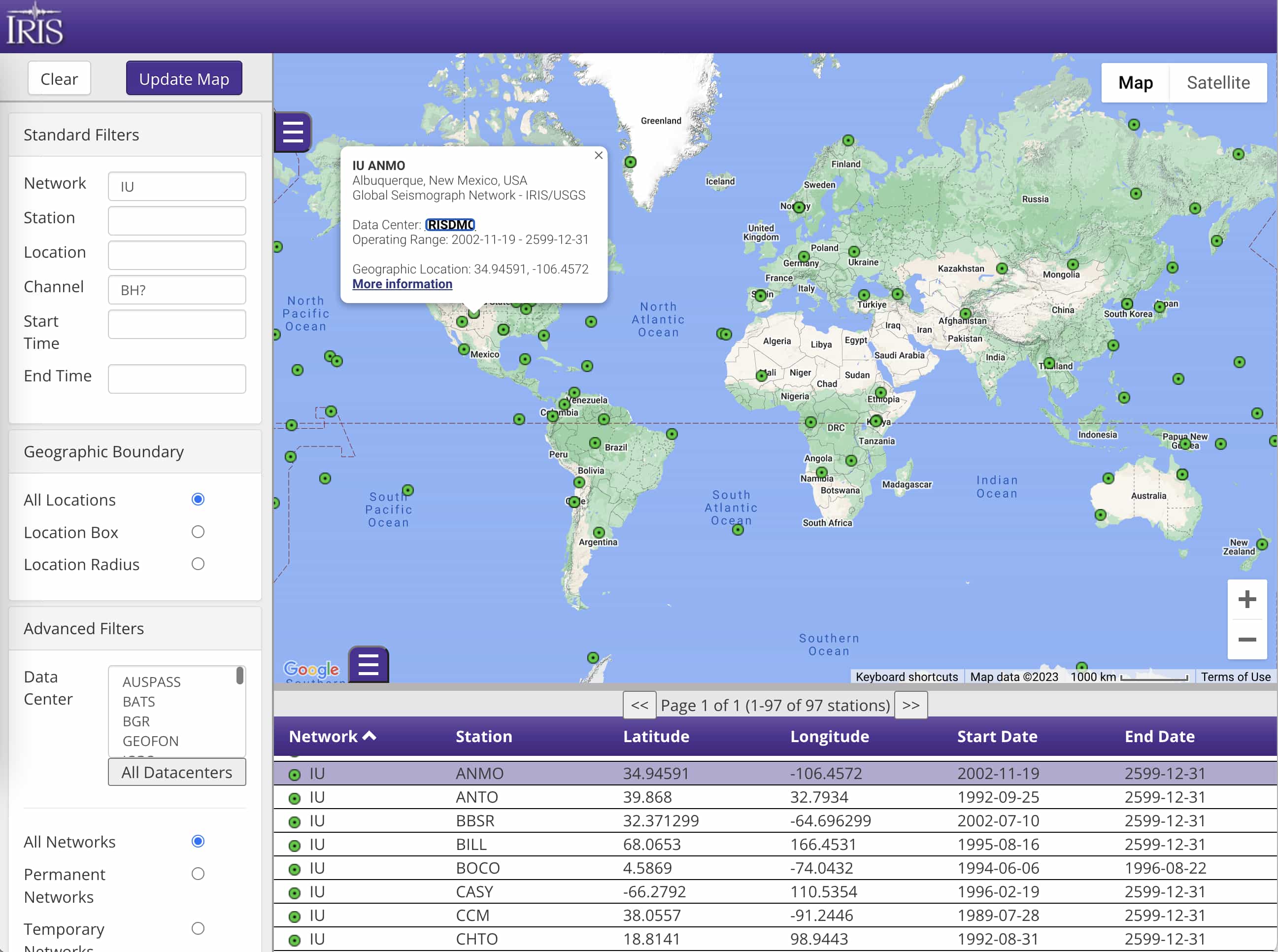
EarthScope SAGE GMAP 查看 IU.ANMO 台站的基本信息
可以看到,IU.ANMO 台站位于美国新墨西哥州 Albuquerque 市,台站开始运行的时间为
2002 年 11 月 19 日,结束运行的时间为 2599 年 12 月 31 日(这一“未来”结束时间
表示台站依然在长期运行中)。
点击提示框中的 “More Information”链接,则会跳转到 EarthScope SAGE MDA 中
该台站所对应的页面(即 https://
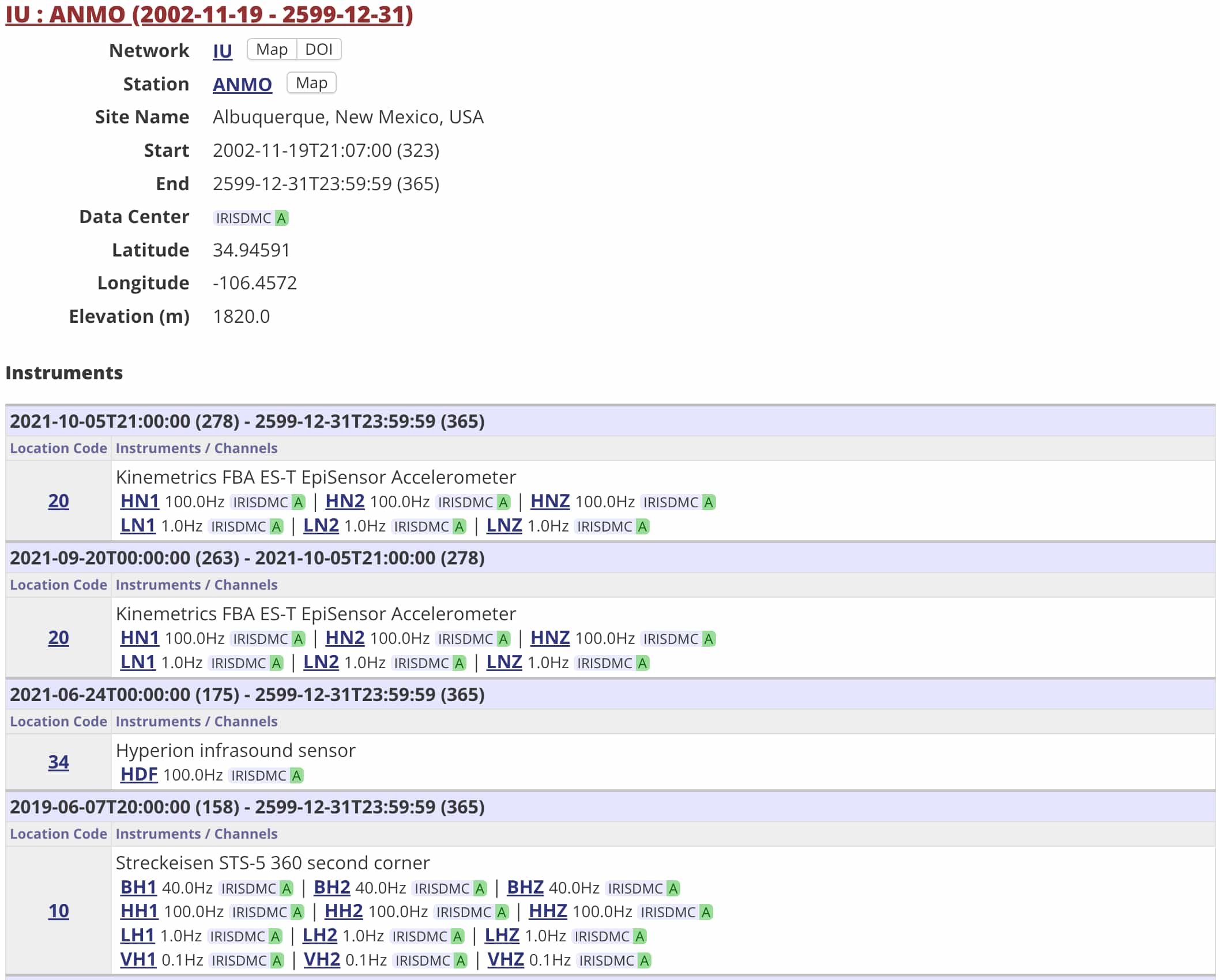
EarthScope SAGE MDA 中查看 IU.ANMO 台站的基本信息
使用 ObsPy 下载地震台站信息
EarthScope SAGE GMAP 作为一个在线工具可以很直观地查看台站分布和基本信息,但却不适合数据 自动化处理。ObsPy 提供了从不同的地震数据中心筛选和下载台站基本信息的功能。
下面演示如何使用 ObsPy 的 Client.get_stations() <obspy.clients.fdsn.client.Client.get_stations()>
函数筛选和下载地震台站信息。
首先,需要导入 ObsPy 中地震数据中心数据下载客户端 ~obspy.clients.fdsn.client.Client:
from obspy.clients.fdsn import Client接下来,我们需要初始化一个 ~obspy.clients.fdsn.client.Client 对象。
ObsPy 的 Client 支持多个地震数据中心。这里我们选择使用 EarthScope SAGE(以前称为 IRIS)地震数据中心:
client = Client("IRIS")Client.get_stations() <obspy.clients.fdsn.client.Client.get_stations()>
函数可以根据指定的参数获取地震台站信息。这里我们想要获得 IU 台网中所有台站名以 A 开头的
宽频带三分量(BH*)台站,并同时获取台站的仪器响应信息(level="response"):
inv = client.get_stations(
    network="IU",
    station="A*",
    channel="BH*",
    starttime="2002-01-01",
    endtime="2002-01-02",
    level="response"
)
该函数会向 EarthScope 地震数据中心发起请求,并返回符合条件的地震台站信息。其返回值是
~obspy.core.inventory.inventory.Inventory 类型,并被保存到变量 inv 中。
下面我们看看变量 inv 中的内容:
print(inv)可以看到,返回的变量 inv 中包含了满足条件的 1 个台网、3 个台站、15 个通道的信息。
~obspy.core.inventory.inventory.Inventory 类提供的
Inventory.plot() <obspy.core.inventory.inventory.Inventory.plot> 函数
可以用于快速绘制地震台站分布图:
inv.plot();Inventory.plot_response() <obspy.core.inventory.inventory.Inventory.plot_response>
函数可以用于绘制仪器响应。下面的函数绘制了 inv 中所有 BHZ 分量的仪器响应,并设置了仪器响应图的
最小频率为 0.001 Hz:
inv.plot_response(min_freq=0.001, channel="BHZ");台站信息的读和写
通过 Client.get_stations() <obspy.clients.fdsn.client.Client.get_stations()>
获得的台站信息可以保存为多种不同格式。下面的代码将台站信息以 StationXML 格式保存到文件
stations.xml 中:
inv.write("stations.xml", format="STATIONXML")在需要时,随时可以使用 read_inventory() <obspy.core.inventory.inventory.read_inventory>
函数读入磁盘文件中的台站信息。该函数值返回 ~obspy.core.inventory.inventory.Inventory 类型:
from obspy import read_inventory
inv = read_inventory("stations.xml")
深入理解和使用 ~obspy.core.inventory.inventory.Inventory 类
上面提到,Client.get_stations() <obspy.clients.fdsn.client.Client.get_stations()>
和 read_inventory() <obspy.core.inventory.inventory.read_inventory> 的返回值都是
~obspy.core.inventory.inventory.Inventory 类型。
事实上,~obspy.core.inventory.inventory.Inventory 类是 ObsPy 中最核心的类之一,用于储存地震台站信息。
下图展示了 ~obspy.core.inventory.inventory.Inventory 类的属性及其层级关系:
~obspy.core.inventory.inventory.Inventory 类可以看做是
~obspy.core.inventory.network.Network 类的列表;
~obspy.core.inventory.network.Network 类可以看做是
~obspy.core.inventory.station.Station 类的列表;
~obspy.core.inventory.station.Station 类可以看做是
~obspy.core.inventory.channel.Channel 类的列表。
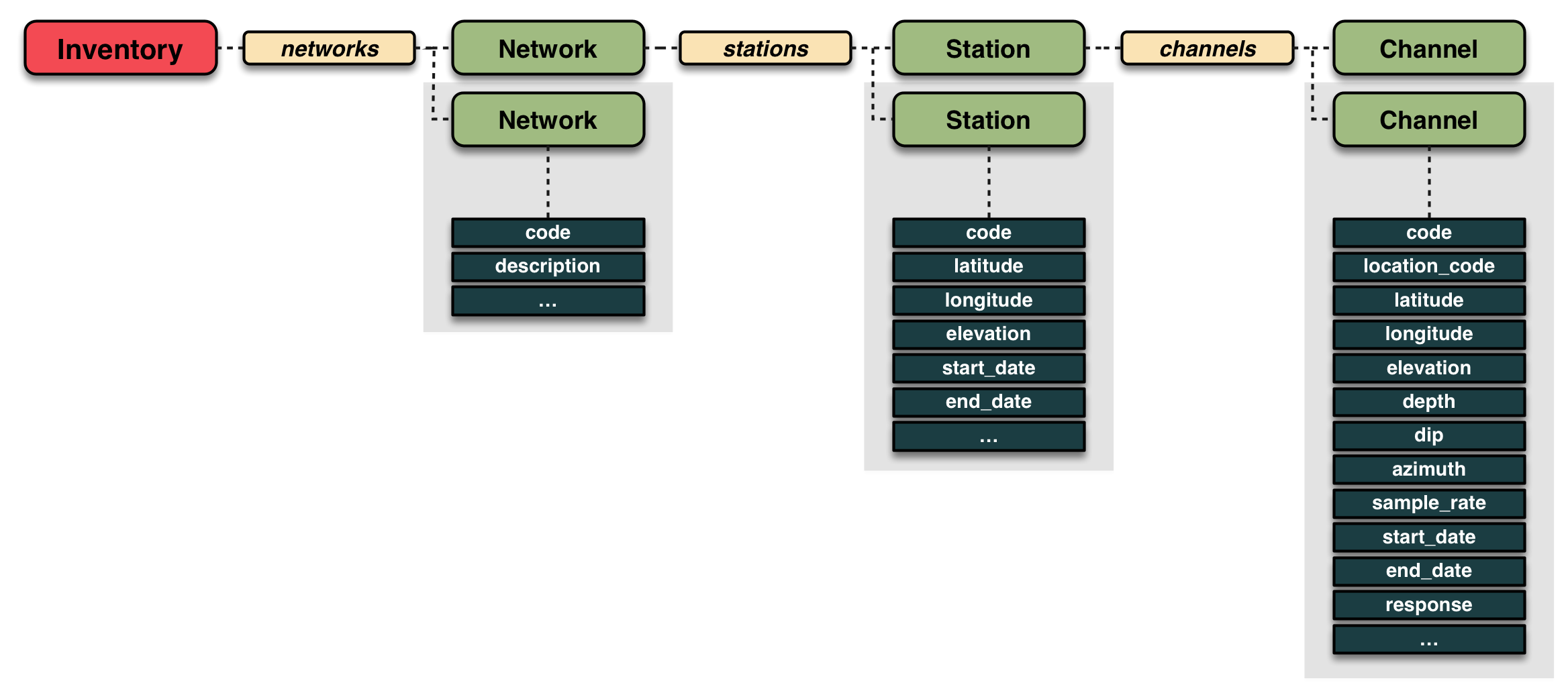
ObsPy 的 ~obspy.core.inventory.inventory.Inventory 类。引自 ObsPy 网站。
~obspy.core.inventory.inventory.Inventory 类
可以对 ~obspy.core.inventory.inventory.Inventory 进行列表相关的操作,
下面对 inv 进行循环并打印每个元素(即 Network 类)的值:
for net in inv:
    print(net)
~obspy.core.inventory.network.Network 类
~obspy.core.inventory.network.Network 类提供了很多台网相关的属性和函数。
例如,下面的代码会输出第一个台网的代码、总台站数以及 inv 中实际包含的台站数目:
net = inv[0]
print(net.code, net.total_number_of_stations, net.selected_number_of_stations)
可以对 ~obspy.core.inventory.network.Network 进行列表相关的操作,
这里我们取其第一个台站并查看其信息:
sta = net[0]
print(sta)
~obspy.core.inventory.station.Station 类
~obspy.core.inventory.station.Station 类也提供了很多台站相关的属性和函数。
例如,下面的代码输出了当前台站的台站代码、经纬度、高程、台站的总通道数目和当前 inv 中包含的
通道数目:
print(sta.code, sta.latitude, sta.longitude, sta.elevation)
print(sta.total_number_of_channels, sta.selected_number_of_channels)
可以对 ~obspy.core.inventory.station.Station 进行列表相关的操作,
这里我们取该台站的第一个通道并查看其信息:
chn = sta[0]
print(chn)
~obspy.core.inventory.channel.Channel 类
~obspy.core.inventory.channel.Channel 类也提供了很多通道相关的属性和函数。
例如,下面的代码输出了当前通道的方位角、倾角、位置码和采样率等信息:
print(chn.azimuth, chn.dip, chn.location_code, chn.sample_rate)